How I post to bear via matrix
Post written by Kami
Heya! It's been a while!
As you might know, I did a post about publishing to bear via email a while ago.
At the time, that worked great!
...But, i quickly ran into some limitations with that approach.
First of all, email clients really like to mangle plain text in ways that often aren't very obvious.
So some stuff that looked fine when tested on your own blog, wouldn't be quite the same when sent over email and then auto-published to bear.
Adding to that, dealing with the gmail api is really annoying. If you don't pay for a subscription, you'll have to refresh your api key every month or so, which can get really annoying. And the google cloud dashboard is bad enough that it made my (very powerful) gaming PC grind to a halt. I'm suprised it's possible for a website to even do that.
Aaaanyways. Point is that I've been meaning to replace the old email system for a while. I've tried a couple of different approaches, but I've always lost motivation pretty quickly, so I didn't really end up getting anywhere. Until now!
Since Herman has decided to release a very nice bearblog api, i took it upon myself to quickly make a matrix bot for everyone in the grizzly gazette matrix server to use.
It's really simple! You can just run a command like !gaz create draft, attach a markdown file, and it'll get posted to the gazette. While i was at it, i also included functionality to edit and preview posts, which wasn't possible in the old email-based version.
Anyways, the whole source code for this thing is over here, if you wanna have a look: https://github.com/AtIgnister/matrix-gazbot/
To host it, simply rename .env.example and .admins.example.json to .env and admins.json respectively, and then fill in all of your data.
You'll also need the bun javascript runtime. Once you've got both of those things set up, simply run bun install && bun index.ts, and you're good to go!
At first, I decided to just use plain javascript to write the whole thing, but that got rather messy pretty fast. So, i ended up switching over to typescript, and rewrote the whole codebase to be a lot less awful. Now commands are like, actually modular! Who'd've thought that was a good idea?
I'll probably release the small library i wrote to interact with the bearblog api on its own as well. It's nothing groundbreaking or anything, but it's kind of nice to have all the stuff bearblog returns from api calls be strongly typed.
I'll probably make another post on here when i get around to releasing that thing as a standalone library. It's nothing too fancy, maybe 200 lines in total, but i figured it'd be nice to save people from having to write the boilerplate code for that stuff.
Anyways, to wrap up this blogpost, here's as an explanation of all the commands that the bot has:
You can call the gazette command in two different ways - !gaz or !gazette. These are the available options:
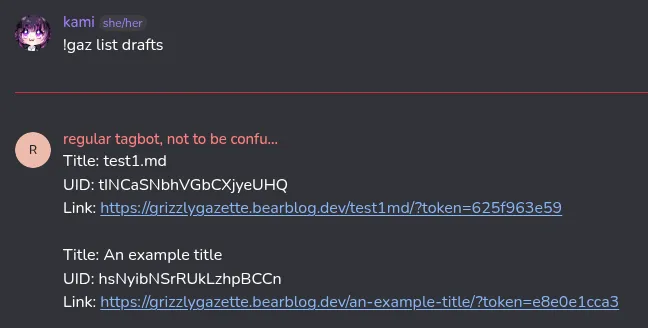
list
Usage: !gazette list post_type
Lists all posts. For the first argument, specify either draft or published, to get the respective post types.
All listed posts will also show their respective UID. You'll need this for most other commands.
Examples: !gazette list drafts, !gazette list published
export
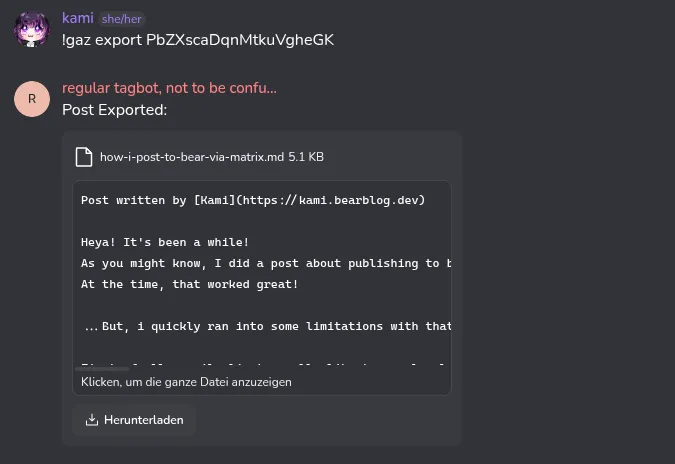
Usage: !gazette export UID
Exports a gazette post to a markdown file. This takes a UID as its first argument.
Use this when you want to edit a post, to first get the version that's currently saved on the gazette.
Examples: !gazette export MreDPdoAtdobnyIoZcud
create
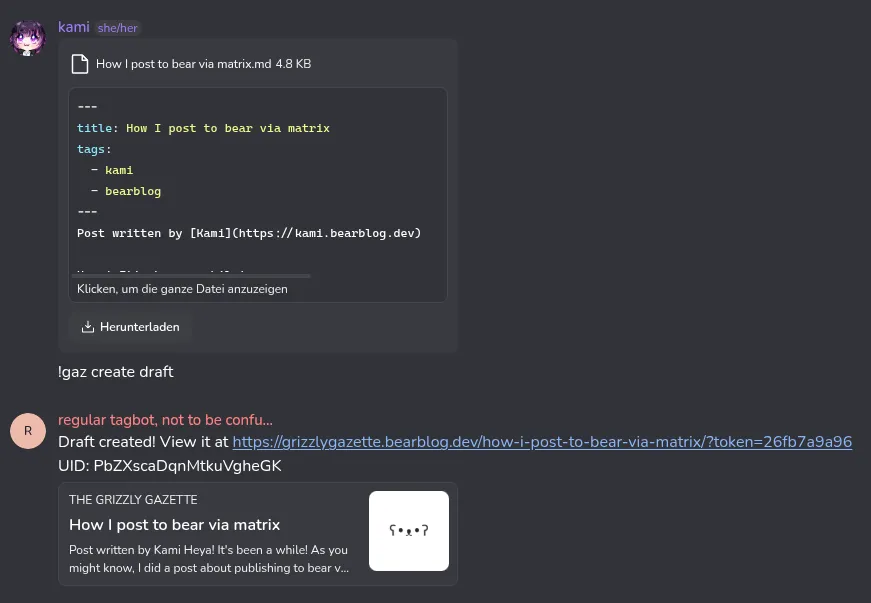
Usage: !gazette create draft | (text attachment required)
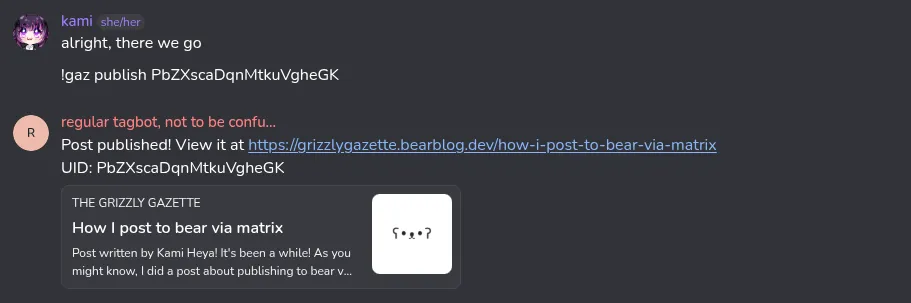
Publishes the attached text file to the grizzly gazette as a draft post, and returns a viewable URL, and a UID.
Only works if you attach a markdown file to your message.
Add a frontmatter header to the file you attach to change the post attributes. All the attributes are called the same thing they're called on bearblog.
Examples: !gazette create draft
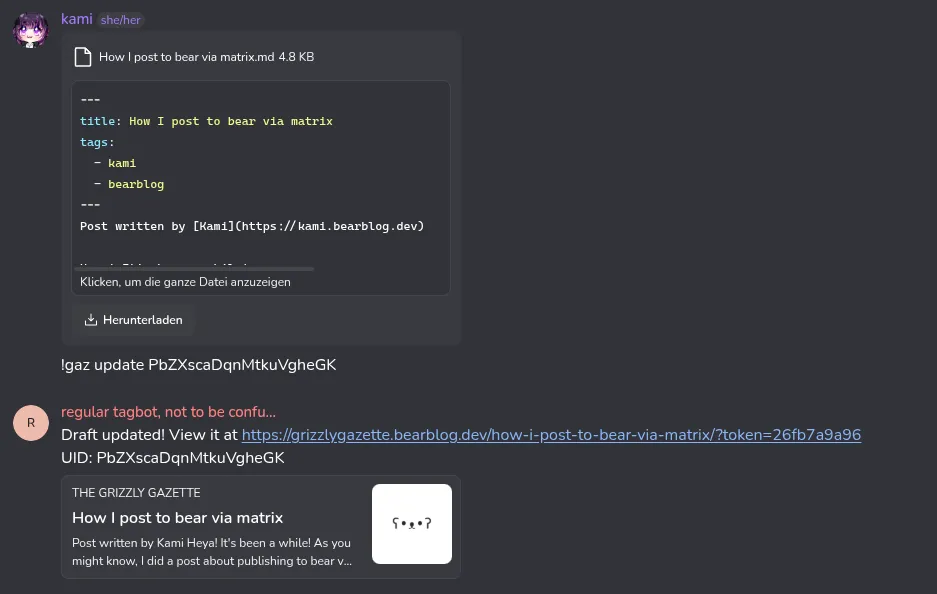
update
Usage: !gazette update UID | (text attachment required)
Updates the post with the specified UID by replacing its contents with the content of the attachment.
Supports frontmatter for updating post attributes. Will only change the attributes included in the frontmatter header, meaning that you can't accidentally unset attributes.
Examples: !gazette update MreDPdoAtdobnyIoZcud
publish
Usage: !gazette publish UID
Publishes the post with the specified UID.
This can technically also be done by just changing the frontmatter attribute "publish" to true, this command is just for the sake of convenience.
Examples: !gazette publish MreDPdoAtdobnyIoZcud